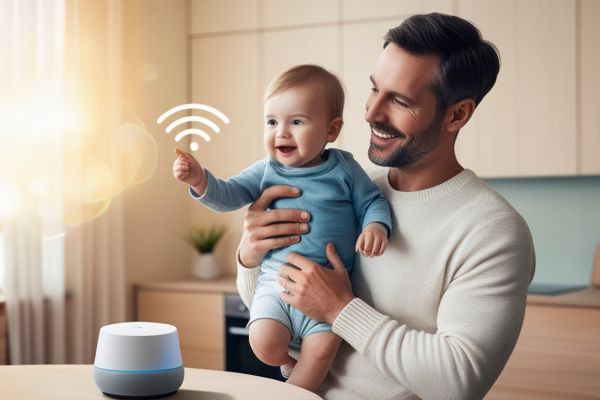
If you’ve ever walked into your home wishing the lights would just turn on automatically or dreamed of adjusting the temperature without getting off the couch, you’re definitely not alone. The world of smart homes is growing fast, and honestly, it’s way more approachable than it used to be. Home automation for beginners might sound a little tech-heavy at first, but once you understand the basics, it becomes surprisingly fun—and even a bit addictive.
Let’s walk through everything you need to know to get started, without the confusing jargon or the pressure to buy every shiny gadget out there. Think of this as a friendly conversation about turning your regular home into a smarter, more convenient version of itself.
Understanding What Home Automation Actually Means
To put it simply, home automation is all about using technology to control or automate everyday tasks around your home. It could be something as simple as scheduling your lights to turn on at sunset or as advanced as setting your entire house to “bedtime mode” with one command.
When you hear the phrase home automation for beginners, think of it as dipping your toes into a world where things just work… without you constantly pressing buttons. It’s convenience, comfort, and a little bit of futuristic magic rolled into one.
And the best part? You don’t have to be a tech wizard to make it happen.
Why Home Automation Is Worth Considering
Let’s be real for a minute. Most of us already juggle enough in a day—work, family, errands, that never-ending list of stuff we keep putting off. Automating parts of your home gives you a break, even if it’s just a small one.
Imagine waking up to lights that gradually brighten like a sunrise or walking into a cool home on a hot day because your thermostat kicked in before you got there. These little touches may seem minor, but they make your daily routine smoother and a lot more enjoyable.
Plus, home automation isn’t just about comfort. It can help you save energy, increase security, and even boost your home’s value. And when you’re just starting out, small changes can still make a big difference.
Choosing Your First Smart Home System
Here’s the thing: before jumping into devices, it helps to pick a platform or “ecosystem” to build around. This is basically the system your smart devices will communicate through.
Most beginners go with Google Home, Amazon Alexa, or Apple HomeKit. They each have their vibe. Google is amazing for voice commands, Alexa offers tons of compatible devices, and Apple gives you that clean, secure, user-friendly experience.
Choosing one doesn’t mean you’re stuck forever, but it does help keep everything running smoothly, especially when you’re just getting started. Trust me, trying to force unrelated devices to work together is… well, frustrating.
Starting Small: The Devices Worth Trying First
A big mistake people make when exploring home automation for beginners is buying too many gadgets at once. You don’t need every smart device under the sun to create a functional setup. You can start with one or two and build from there as you get more comfortable.
Most beginners start with smart speakers, smart lights, or a smart plug.
A smart speaker becomes the “brain” of the house, letting you use simple voice commands for everything. Smart lights are always a hit because they’re fun, super easy to set up, and genuinely helpful—especially when your hands are full. And smart plugs? They instantly turn everyday appliances into smart ones, which feels a little like magic.
The key is choosing devices that fit your lifestyle. If lighting isn’t a big deal for you, start with a thermostat. If you’re always forgetting whether you locked the door, try a smart lock. Remember, your smart home should adapt to you, not the other way around.
Creating Routines That Actually Make Life Easier
Once you’ve played around with individual devices and gotten the hang of things, routines are where everything starts coming together. This is where home automation for beginners shifts from “cool gadgets” to “wow, this really helps.”
A routine ties multiple actions together so your home behaves differently depending on the time of day or what you’re doing. Your “good morning” routine could slowly brighten your bedroom lights, play soft music, and start your coffee maker. Your “leaving the house” routine could lock your doors, switch everything off, and adjust the thermostat to save energy.
These routines don’t have to be complicated. Sometimes the simplest ones end up being your favorites. You know, like having the hallway lights turn on automatically when you walk past with your hands full of groceries.
Avoiding Common Beginner Mistakes
We all learn a little by trial and error, but you can skip some headaches if you know what not to do. The biggest mistake people make is not checking device compatibility. Always double-check that the smart gadget you’re eyeing works with your chosen platform.
Another common hiccup is weak Wi-Fi. Smart homes rely heavily on your network. If your signal barely reaches the other end of the house, devices won’t respond well. A Wi-Fi extender or mesh system can make a massive difference.
And lastly, don’t automate everything just for the sake of it. Not every task needs to be smart. Choose things that genuinely improve your day-to-day life. If you rarely close your blinds, a smart blinds system probably won’t wow you as much as you think.
Security and Privacy: What You Should Know
It’s natural to wonder about privacy when your home becomes more connected. The good news is that modern smart home devices come with strong security features, and most platforms allow you to control what data is collected or shared.
Still, it helps to take a few precautions. Use strong, unique passwords for your accounts. Keep your devices updated. And connect your smart home devices to a separate guest network if your router allows it. These small steps go a long way in keeping your home secure.
Thinking Long-Term: How Your Smart Home Can Grow
Once you get the hang of home automation for beginners, you’ll probably start thinking about expanding your setup. Maybe adding smart cameras, a video doorbell, or even advanced energy monitoring. The cool part is that smart homes are incredibly flexible. You can grow slowly, adding only the devices you feel will genuinely help you.
There’s no perfect smart home—only the one that makes your life easier. Over time, your setup will feel like a natural extension of your routine. Almost like your home learns you, not the other way around.
Final Thoughts
Starting your journey into home automation for beginners doesn’t have to be overwhelming. With a little curiosity and a few starter devices, you can transform your home into a space that listens, responds, and adapts to your needs. And honestly, once you see how even the smallest change—like smart lighting—can improve your day, it’s hard not to get hooked.
So take your time, experiment a bit, and enjoy the process. Your smarter, more convenient home is just a few simple steps away.