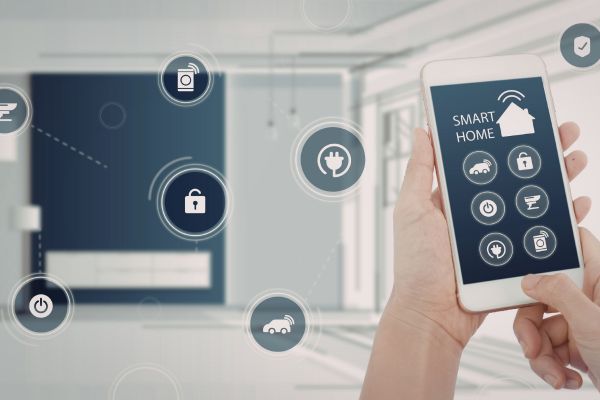
The modern home hums quietly with connectivity. Phones sync in the background, smart TVs stream effortlessly, and laptops bounce between work and leisure without a second thought. But behind that convenience sits something often overlooked—a home network that, if left unprotected, can quietly expose personal data, habits, and even financial details.
Setting up a secure home network isn’t about paranoia. It’s about awareness. It’s about understanding that the same system making life easier can also become a doorway if not properly managed. The good news? You don’t need to be a cybersecurity expert to get it right. You just need a thoughtful approach.
Understanding Why Home Network Security Matters
Most people assume hackers only target corporations or high-profile individuals. In reality, home networks are often easier targets precisely because they’re less protected. A weak password, outdated firmware, or a misconfigured router can open the door without much resistance.
Think of your home network as a shared highway. Every device—your phone, your smart speaker, your laptop—is a vehicle traveling across it. If that highway isn’t secured, anyone can potentially step in and intercept the traffic.
Security, in this sense, is less about fear and more about control. You decide who gets access, how information flows, and what stays protected.
Choosing the Right Router as Your Foundation
Everything begins with the router. It’s the central hub, the gatekeeper of your network. And yet, many households still rely on whatever device their internet provider handed them years ago.
A modern router brings more than just speed. It offers better encryption standards, improved firmware support, and features designed specifically for security. Even subtle upgrades—like support for newer Wi-Fi protocols or built-in firewall capabilities—can make a meaningful difference.
When setting up a secure home network, starting with reliable hardware isn’t a luxury. It’s the baseline.
Changing Default Settings Immediately
One of the most overlooked steps happens right after installation. Routers come with default usernames and passwords, and these are often publicly available online. Leaving them unchanged is like installing a lock but leaving the key under the doormat.
Changing the admin credentials should be the very first action. A strong password, ideally a mix of letters, numbers, and symbols, adds an immediate layer of protection.
It’s a small step, but it sets the tone for everything that follows.
Securing Your Wi-Fi Network with Strong Encryption
Not all Wi-Fi security is created equal. Older encryption standards can be cracked with relatively simple tools, while newer ones offer significantly stronger protection.
Modern routers typically support advanced encryption protocols that safeguard data traveling between devices and the network. Enabling the strongest available option ensures that even if someone attempts to intercept your connection, the information remains unreadable.
The Wi-Fi password itself matters just as much. A short or predictable password can be guessed quickly. A longer, more complex phrase—something memorable yet difficult to predict—creates a much stronger barrier.
Creating a Separate Network for Guests
It’s natural to share your Wi-Fi with visitors. Friends come over, relatives ask for the password, and it feels harmless enough. But each new device introduces a new variable.
A guest network solves this quietly. It allows visitors to access the internet without connecting directly to your primary network. Your personal devices remain isolated, reducing the risk of accidental exposure.
It’s a simple feature, but one that reflects a thoughtful approach to security—balancing convenience with caution.
Keeping Firmware Updated Without Delay
Routers, like any other piece of technology, require updates. These updates often include security patches that fix newly discovered vulnerabilities.
The challenge is that many people never check for updates. Routers sit quietly in the background, out of sight and out of mind. But over time, outdated firmware can become a weak link.
Enabling automatic updates, if available, removes this burden. If not, checking periodically ensures your network stays aligned with the latest protections.
It’s not the most exciting task, but it’s one of the most important.
Managing Connected Devices with Awareness
Take a moment to consider how many devices are connected to your network. Phones, tablets, laptops, smart TVs, security cameras, gaming consoles—the list adds up quickly.
Each device represents a potential entry point. Not all of them are equally secure, especially older gadgets or inexpensive smart devices that may lack robust protections.
Reviewing connected devices regularly helps maintain control. If something unfamiliar appears, it’s worth investigating. Removing unused devices also reduces unnecessary exposure.
Security, in this case, is about visibility. You can’t protect what you don’t recognize.
Using Firewalls to Add an Extra Layer of Defense
A firewall acts like a filter between your network and the outside world. It monitors incoming and outgoing traffic, blocking anything suspicious or unauthorized.
Most modern routers include built-in firewall features, but they’re not always enabled by default. Activating this feature strengthens your network’s perimeter, adding another checkpoint for data flow.
While it may operate quietly in the background, a firewall plays a critical role in maintaining network integrity.
Strengthening Security with Network Segmentation
As homes become smarter, networks become more complex. Smart bulbs, thermostats, and voice assistants add convenience, but they also expand the attack surface.
Network segmentation addresses this by separating devices into different zones. For example, smart home devices can operate on a separate network from your personal computers.
If one segment is compromised, the rest of the network remains protected. It’s a layered approach, and while it may seem advanced, many modern routers offer simplified ways to implement it.
Enabling Two-Factor Authentication Where Possible
Security doesn’t stop at the network level. Many routers and connected services now support two-factor authentication, adding an extra verification step when accessing settings.
Even if someone manages to obtain your password, they won’t gain access without the second factor—often a code sent to your phone or generated by an app.
It’s a subtle addition, but one that significantly reduces the risk of unauthorized access.
Being Mindful of Remote Access Features
Some routers allow remote management, enabling you to access settings from anywhere. While convenient, this feature can also introduce risk if not properly secured.
If remote access isn’t necessary, it’s best to disable it. If you do use it, ensuring strong authentication and secure connections becomes essential.
Convenience should never come at the cost of exposure.
Recognizing the Human Element in Network Security
Technology can only go so far. Human behavior plays an equally important role. Clicking on suspicious links, downloading unknown files, or connecting unsecured devices can undermine even the most secure setup.
Awareness becomes part of the system. A cautious approach to online activity complements the technical safeguards already in place.
Security, in the end, is a shared responsibility between devices and the people using them.
Building a Routine That Supports Long-Term Security
Setting up a secure home network isn’t a one-time task. It’s an ongoing process. Technology evolves, threats change, and new devices join the network.
Creating a simple routine—checking for updates, reviewing connected devices, updating passwords periodically—helps maintain security over time. These actions don’t require much effort, but they reinforce the foundation you’ve built.
Consistency matters more than complexity.
A Thoughtful Approach to Everyday Connectivity
There’s something reassuring about knowing your home network is secure. It allows you to use technology without second-guessing every connection or interaction.
Setting up a secure home network isn’t about creating barriers. It’s about creating confidence. It’s about ensuring that the tools designed to simplify life don’t quietly compromise it.
With a few deliberate steps and a bit of ongoing attention, your network becomes more than just a utility. It becomes a trusted part of your home—quietly working, securely supporting everything you do.
And perhaps that’s the real goal. Not perfection, but peace of mind.