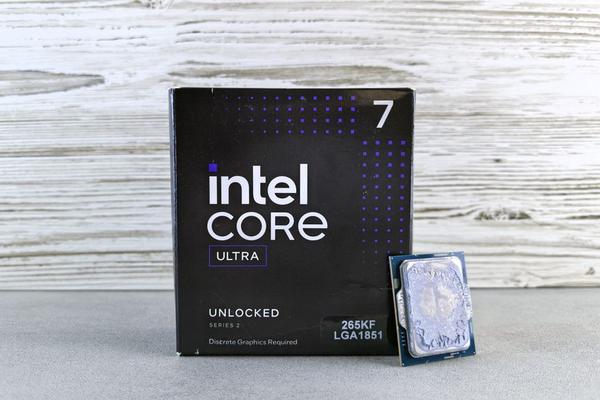
The Snapdragon X Elite versus Intel Core Ultra choice is really a decision between two Windows laptop approaches: Qualcomm’s Arm-based Snapdragon X Elite and Intel’s x86-based Core Ultra family. Both can power thin AI-focused laptops and deliver excellent everyday performance. The differences show up most clearly in battery behaviour, app compatibility, graphics, and the software you depend on.
“Intel Core Ultra” covers more than one generation. For a fair 2026 comparison, Intel Core Ultra 200V laptops are the closest match to Snapdragon X Elite because they target premium, efficient AI PCs and meet the Copilot+ PC hardware class. Older Core Ultra Series 1 laptops remain capable, but their NPUs fall below the Copilot+ threshold.
Snapdragon X Elite vs Intel Core Ultra at a glance
Snapdragon X Elite uses a 12-core Qualcomm Oryon CPU and a 45 TOPS Hexagon NPU. Intel Core Ultra 200V, often called Lunar Lake, combines four performance cores with four efficiency cores and offers an NPU rated at up to 48 TOPS. Both clear Microsoft’s 40+ TOPS requirement for Copilot+ PCs.
Those AI numbers should not decide the purchase alone. More important questions are whether your apps run natively, how long the laptop lasts away from a charger, and whether you need specialist software.
Performance: fast on both, but workload matters
For web browsing, Office work, video calls, streaming, coding in supported tools, and general multitasking, both feel responsive. Snapdragon X Elite’s Oryon cores emphasise performance per watt, while Intel’s 200V chips put more emphasis on efficiency than earlier x86 laptop generations.
The exact laptop matters as much as the processor badge. Cooling, power limits, memory, firmware, and manufacturer tuning can change results substantially. A well-tuned core ultra laptop may lead in one sustained task, while a thinner Snapdragon machine may stay cooler or use less power in another.
If one demanding application drives your purchase, check tests for that exact laptop and app. This matters for video editing, development, 3D work, and other workloads where native code or graphics acceleration can change the result.
Battery life and efficiency: Snapdragon’s strongest argument
The arm laptop vs intel debate became popular because Arm systems can be extremely efficient in light and mixed workloads. Snapdragon X Elite was built around that advantage, and many laptops using it prioritise long unplugged use, low heat, and quiet operation.
Intel answered with Core Ultra 200V, designed as a major step forward in x86 power efficiency. The gap is therefore smaller than it was with earlier Windows-on-Arm generations. Real battery life still depends on the display, battery capacity, refresh rate, wireless activity, background software, and workload.
Consider a practical example. If your normal day is browser tabs, Word, Teams, email, and occasional photo editing, a Snapdragon X Elite laptop can be very attractive. If you also rely on legacy utilities, niche plug-ins, or hardware-specific tools, an Intel machine may save more time even if a particular Snapdragon model lasts longer on battery.
App compatibility: Intel remains the safer default
Windows on Arm has improved considerably. Windows 11 can emulate both x86 and x64 applications, while Microsoft’s Prism emulator has gained performance and compatibility improvements. A late-2025 update added support for more x86 instruction-set features, including AVX and AVX2, helping additional apps and games run under emulation.
Emulation is still not identical to native support. Microsoft says Arm-native apps deliver the best performance and efficiency, and kernel-mode drivers must still be built for Arm64. That can matter with security tools, older peripherals, audio hardware, VPN components, or niche professional software.
This is where Intel retains a practical advantage. Traditional x86 Windows applications and drivers remain the platform’s established baseline. If you cannot afford compatibility surprises, Intel Core Ultra is generally the lower-risk choice.
Graphics and gaming favour predictability
Intel Core Ultra 200V includes Xe2-based integrated Arc graphics on supported models, making it a strong option for light gaming and GPU-accelerated creative work. Snapdragon X Elite’s Adreno GPU handles everyday graphics and media well, but Windows gaming on Arm can still depend on emulation, anti-cheat support, drivers, and game-specific compatibility.
A snapdragon laptop review that focuses only on frame rates can miss the bigger issue. Before buying, check that your games, launchers, anti-cheat systems, capture tools, and accessories work on Windows on Arm. For a gaming-first buyer, Intel remains the more predictable choice.
AI features: both are genuine Copilot+ platforms
Snapdragon X Elite’s 45 TOPS NPU and Intel Core Ultra 200V’s up-to-48 TOPS NPU both fit the Copilot+ PC category. Supported Windows AI features can therefore use dedicated NPU hardware instead of relying entirely on the CPU, GPU, or cloud.
The practical takeaway is simple: do not buy either platform just because one NPU number is slightly higher. Display quality, battery size, ports, memory, storage, software support, and overall laptop design will usually matter more.
Price and value depend on the whole laptop
Neither platform has one fixed price. Snapdragon X Elite and Intel Core Ultra appear in laptops with differences in screens, storage, RAM, build quality, battery capacity, and warranty. Compare models with similar memory, SSD capacity, screen class, and support before deciding which processor offers better value.
Which one should you buy?
Choose Snapdragon X Elite if long unplugged use, quiet operation, mainstream productivity apps, and an efficient thin-and-light design are your priorities. It is especially appealing when your software is Arm-native or browser-based and you are comfortable checking compatibility for specialist tools.
Choose Intel Core Ultra 200V if you want strong efficiency without leaving the traditional x86 Windows ecosystem. It is the safer fit for older desktop software, unusual peripherals, broader gaming needs, or workflows where driver compatibility matters more than maximum efficiency.
Frequently asked questions
Is Snapdragon X Elite faster than Intel Core Ultra?
Not in every workload. Performance varies by exact chip, laptop cooling, power settings, and whether an application runs natively or through emulation. Compare the specific models and software you plan to use.
Can Snapdragon X Elite run normal Windows programs?
Yes. Windows 11 on Arm supports native Arm apps and can emulate many x86 and x64 programs through Prism. Compatibility is much better than in earlier generations, but some driver-dependent software and hardware can still require native Arm64 support.
Do both platforms support Copilot+ PC features?
Snapdragon X Elite qualifies with its 45 TOPS NPU, and Intel Core Ultra 200V models can qualify with NPUs rated up to 48 TOPS. Older Intel Core Ultra Series 1 laptops do not meet the same 40+ TOPS NPU requirement.
Which is better for battery life?
Snapdragon X Elite is often attractive for efficiency-focused laptops, but Core Ultra 200V also targets long battery life. The final result depends heavily on the laptop’s battery, display, software load, and manufacturer tuning.
Final verdict
In 2026, Snapdragon X Elite vs Intel Core Ultra is less about one architecture defeating the other and more about choosing the right compromise. Snapdragon X Elite is compelling for mobile productivity and Arm efficiency, while Intel Core Ultra 200V combines much-improved efficiency with broad traditional Windows compatibility. If your apps are mainstream and mobility is the priority, Snapdragon deserves serious consideration. If your workflow depends on legacy software, drivers, gaming, or specialist peripherals, Intel remains the safer all-round choice.